
KiroaaS
Your Gateway to Kiro// Kiro as a Service
Expose Kiro's models to any application via standard APIs.
Power your tools with Kiro's intelligence.
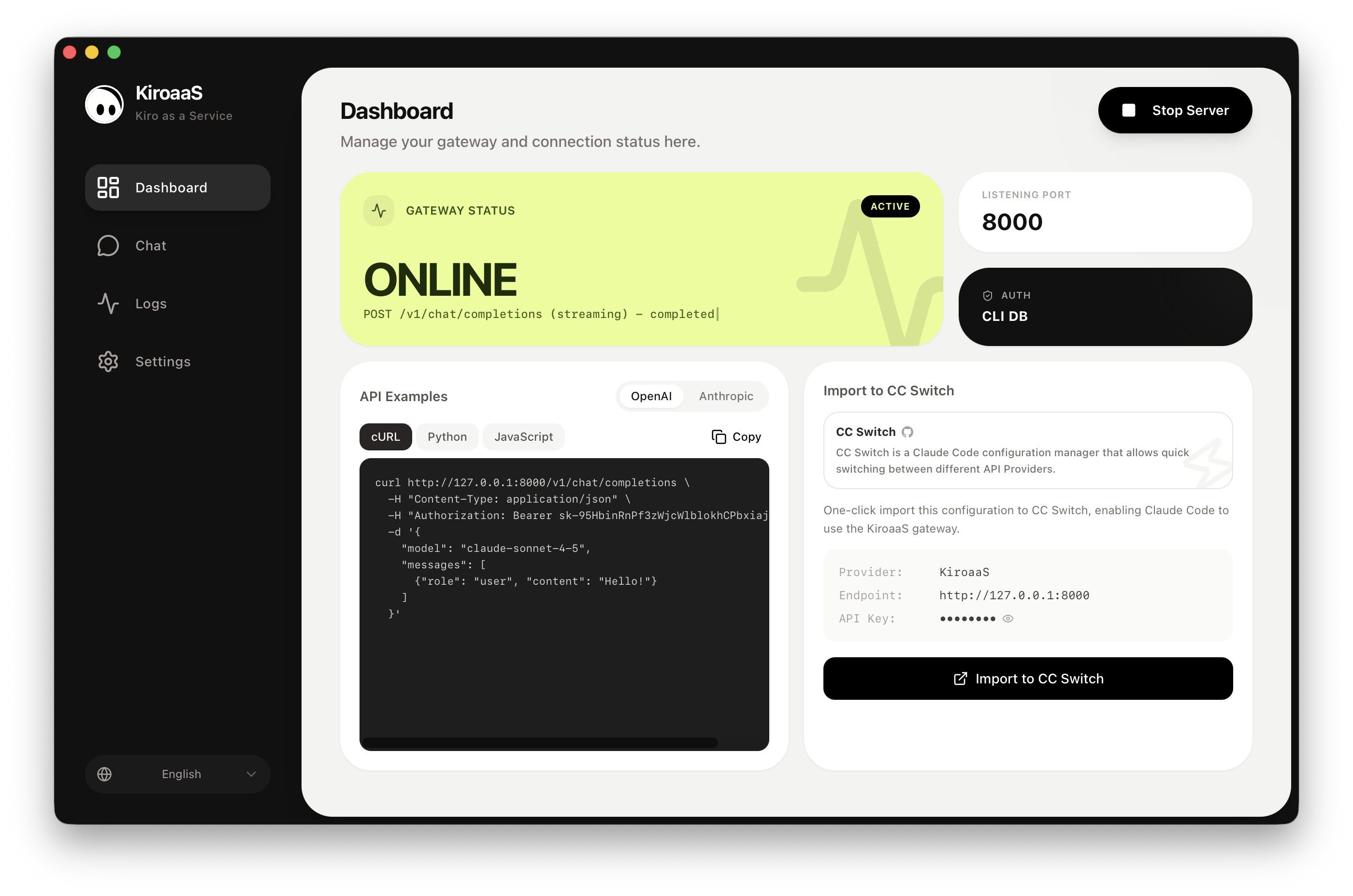
Designed for Developers.
No complex configurations. Just a powerful gateway that works with your existing toolchain.
OpenAI Compatible
Drop-in replacement for OpenAI API. Use with any OpenAI SDK or library.
Anthropic Compatible
Full support for Anthropic API format. Works with Claude SDKs seamlessly.
Streaming Support
Full SSE streaming for real-time responses. Just like the native APIs.
Vision Support
Send images to the model. Full multimodal capabilities supported.
Tool Calling
Function calling and tool use work out of the box.
Auto Retry
Automatic retries on errors (403, 429, 5xx) with smart backoff.
Multi-language UI
8 languages supported: English, Chinese, Japanese, Korean, and more.
Bypass restrictions, get your Claude back.
Blocked network? KiroaaS Cloud transparently forwards requests to Kiro models through secure cloud infrastructure — so you keep coding with Claude no matter where you are.
Network bypass
Routes Kiro requests through cloud forwarding to get around regional and corporate restrictions.
Credentials stay local
We never collect or store your Kiro credentials. They live on your device and are never uploaded.
Live connection status
Real-time health checks with latency display, so you always know your connection is healthy.
One separate account
A KiroaaS-only sign-in, independent from Kiro, used only to keep access reliable for everyone.
Free during beta. Enable it in the desktop app with a single toggle.
Up and running in minutes
No complex setup. Just download, click, and start coding with Kiro's intelligence in your favorite editor.
Download & Install
Download KiroaaS for macOS. Windows and Linux versions are on the roadmap.
Configure Credentials
Add your Kiro credentials in one click. Auto-detection available for existing Kiro IDE users.
Start the Server
Launch the local API server on localhost:8000 with a single button press.
Connect Tools
Point your AI tools (Cursor, Windsurf, etc.) to the local endpoint. No code changes needed.
Drop-in Integration
Your existing code works instantly. Just change the base URL.
from openai import OpenAI

client = OpenAI(
    base_url="http://127.0.0.1:8000/v1",
    api_key="sk-your-key"
)

response = client.chat.completions.create(
    model="claude-sonnet-4-5",
    messages=[
        {"role": "user", "content": "Hello!"}
    ]
)

print(response.choices[0].message.content)
Works with everything
Compatible with any tool that speaks OpenAI or Anthropic protocols.
OpenClaw
AI chat interface

Claude Code
Anthropic CLI assistant

opencode
Terminal AI assistant

Cursor
AI-powered code editor

LangChain
LLM application framework

Vercel AI SDK
Build AI-powered apps

OpenAI SDK
Official Python & Node.js

Anthropic SDK
Official Claude SDK
And any other tool that supports standard LLM APIs
Get Started NowSupport KiroaaS
KiroaaS is free and open source. If you find it useful, consider buying us a coffee to keep the project going.
Buy us a coffee